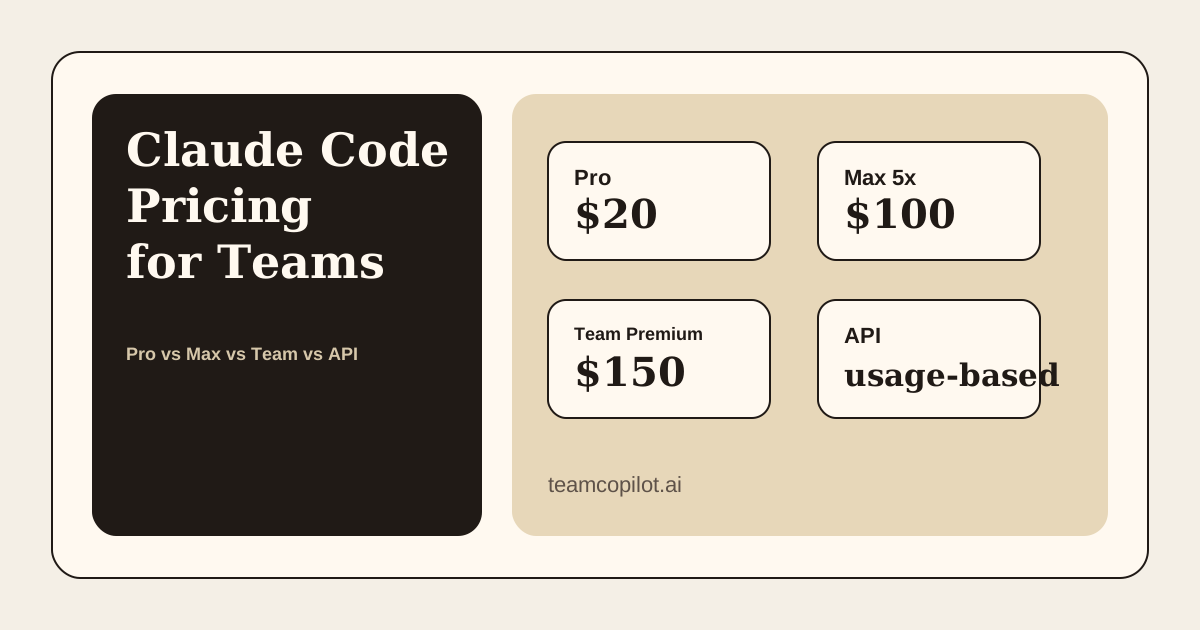
Claude Code pricing is easy to understand when you're buying it for yourself. It gets much less obvious when you're trying to price it for a team.
At that point, the real question is not just:
How much does Claude Code cost?
The better question is:
What is the cheapest sensible way to give a whole team access to Claude Code?
As of April 19, 2026, there are four practical ways to pay for Claude Code-related usage:
- Claude Pro
- Claude Max
- Claude Team seats
- Anthropic API pay-as-you-go
Claude Code pricing at a glance
Here is the simplest way to think about the options.
| Option | Price | Best for | Main tradeoff |
|---|---|---|---|
| Claude Pro | $20/month monthly or $17/month equivalent billed annually | Individual users and small teams buying separate subscriptions | Cost scales linearly with each user |
| Claude Max 5x | $100/user/month | Heavy Claude Code users | Expensive as a default for everyone |
| Claude Max 20x | $200/user/month | Very heavy power users | Usually too expensive for broad rollout |
| Claude Team standard seat | $20/user/month billed annually or $25/user/month billed monthly, 5-seat minimum | Teams that want Anthropic's org-managed team plan | Lower usage than premium seats |
| Claude Team premium seat | $100/user/month billed annually or $125/user/month billed monthly, 5-seat minimum | Teams that want Anthropic's org-managed team plan with higher usage | More expensive than Pro for basic access |
| Anthropic API | Usage-based | Companies that do not want per-user plan limits and want to power automated workflows and business-process automation | Token-based billing can end up costing more than seat-based plans |
If you only want the quick answer:
- Pro is the cheapest way to get started
- Max is for power users
- Claude Team is Anthropic's org-managed plan
- API is the best fit when you want to avoid per-user plan limits entirely
Option 1: Claude Pro
Anthropic's public pricing says Claude Pro costs:
- $20/month on monthly billing
- $17/month equivalent on annual billing (
$200billed up front)
Claude Code is included in Pro.
For one person, this is the easiest and cheapest paid entry point.
For a team, Pro works best when:
- most usage is still individual
- each person primarily works in their own local environment
- usage is meaningful, but not extreme
- each person is fine having their own Claude account/subscription
What Pro costs for a team
For five people:
- monthly billing: $100/month
- annual-equivalent billing: $85/month equivalent
When Pro makes sense
Pro is the default answer for:
- small startups
- early engineering teams
- companies still experimenting with Claude Code
If your main goal is "give everyone a solid personal Claude Code setup," Pro is usually the best first step.
Main tradeoff
It is cheap, but still fundamentally an individual subscription model. As the team grows, total cost scales directly with headcount, and each person is still using their own Claude account rather than being part of an Anthropic team/org plan.
Option 2: Claude Max
Anthropic currently offers two Max tiers that include Claude Code:
- Max 5x: $100/month per user
- Max 20x: $200/month per user
Max is not really a "team default" plan. It is a plan for people who use Claude Code heavily enough that Pro becomes limiting.
This usually means:
- founders
- staff engineers
- AI-heavy power users
- people spending large parts of the day in agentic coding loops
What Max costs for a team
For five people:
- Max 5x: $500/month
- Max 20x: $1,000/month
When Max makes sense
Max makes sense when a small number of people are using Claude Code at very high intensity.
In practice, many teams do better with:
- Pro for most people
- Max for a few heavy users
Main tradeoff
Max is excellent for power users, but expensive as a standard company-wide plan.
Option 3: Claude Team
Anthropic's Team pricing looks attractive at first glance because it introduces a seat-based team model:
- Standard seat:
$20/monthper seat when billed annually or$25/monthper seat when billed monthly - Premium seat:
$100/monthper seat when billed annually or$125/monthper seat when billed monthly - Minimum 5 members
On Anthropic's current pricing page, Team has two seat types. The difference matters:
- standard seats give you the org-managed Team plan
- premium seats add much higher usage than standard seats
The practical difference between Team and Pro/Max is that Team is Anthropic's org-managed plan:
- you create a shared team/org inside Anthropic
- you add members to that team
- billing and membership are managed centrally
With Pro and Max, by contrast, each person is primarily on their own individual subscription.
What Team costs
For five people:
- Team standard seats billed monthly: $125/month
- Team premium seats billed monthly: $625/month
When Team makes sense
Team makes sense when:
- you want Anthropic's org-managed team plan
- you want to add members into one shared Anthropic team instead of managing separate individual subscriptions
- you want centralized billing and administration inside Anthropic's team product
- your company prefers buying Claude through a shared org setup
Premium seats make sense when you want the higher usage tier inside that Team plan.
Main tradeoff
From a pure cost standpoint, Team premium seats are still more expensive than just giving many users Pro seats.
So Team is not primarily about lower cost. Its value is getting Anthropic's org-managed team structure. Premium seats are the part that add much more usage inside that structure.
Option 4: Anthropic API
Anthropic also supports Claude Code-related usage through standard API pricing.
This changes the model completely.
Instead of paying per person, you pay based on usage.
Anthropic positions the API path as:
- no per-seat fees
- no platform charges
- ability to support unlimited developers
That makes API pricing the most flexible option for a company.
When API pricing is attractive
API pricing tends to be attractive when:
- you do not want to think in terms of per-user plan limits
- you want usage to scale with workflows, not with named seats
- you want to power automated workflows and business-process automation
- you want the flexibility to build shared internal AI functionality
Main tradeoff
API pricing is token-based, which means it can end up costing more than seat-based plans.
What this looks like for real teams
Here is the most practical way to choose.
5-10 person engineering team
Most likely best choice:
- Claude Pro for everyone
- optionally Max for one or two power users
This gives you the best price-to-value ratio without overcomplicating things.
10+ team members
Most likely best choice:
- Claude Team if you want simpler billing and one shared Anthropic team
- optionally Team premium seats for the people who need much higher usage
At this point, the simpler billing model of Claude Team starts to matter more. Instead of managing a growing set of separate individual subscriptions, you can keep everyone inside one Anthropic team and upgrade only the people who need premium usage.
A simple monthly comparison
Using Anthropic's public numbers, the rough cost for a 5-person team looks like this:
| Option | Approximate monthly cost for 5 users |
|---|---|
| Pro | $100/month |
| Max 5x | $500/month |
| Max 20x | $1,000/month |
| Team standard seats | $125/month |
| Team premium seats | $625/month |
| API | Variable |
That leads to a pretty simple conclusion:
- if you want the lowest predictable cost, start with Pro
- if you want the highest per-user capacity, use Max
- if you want Anthropic's org-managed team plan, choose Claude Team
- if you specifically want much more usage inside that Team plan, choose Team premium seats
- if you want the model with the fewest per-user limits and the best fit for automated workflows, use the API
Where TeamCopilot fits
If you end up choosing API pricing for workflow automation using Claude Code, you still need to solve these issues:
- Sharing of agent skills across your team in a permissioned way.
- Creating and sharing automated workflows that can be used by these skills.
- Observability into workflow run history.
- A UI for your team to talk to the agent and run workflows such that non technical users are also able to use it.
This is where TeamCopilot fits. It is an open-source, self-hosted layer for creating and running shared AI workflows. Learn more about it here:
Support the project
If this was useful, star TeamCopilot on GitHub.
TeamCopilot is a shared AI agent for teams with centralized context, permissions, and workflows.