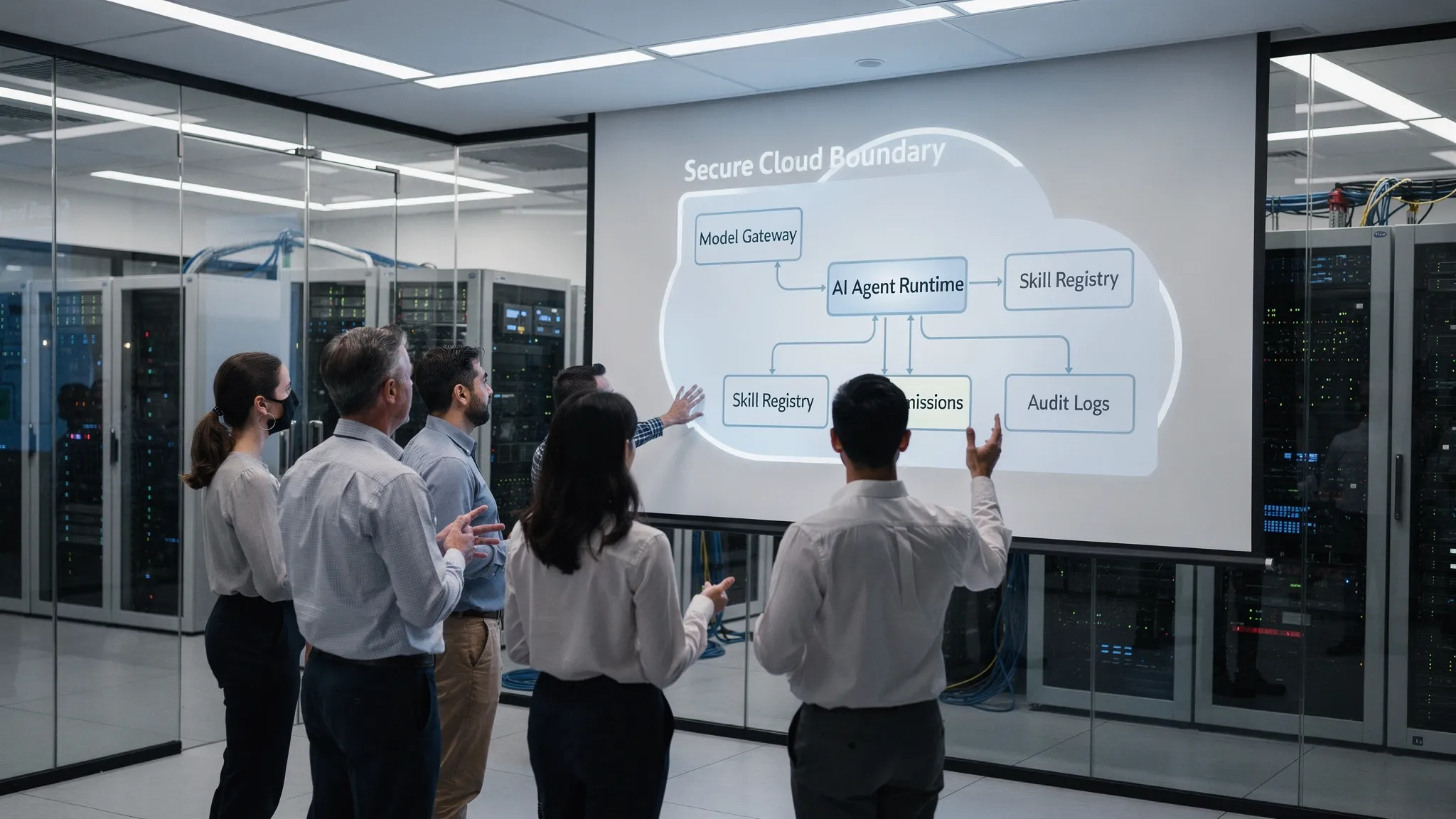
In 2026, most teams no longer struggle to access a capable model. The hard part is letting developers use AI against code, tickets, internal docs, databases, and deployment workflows without turning every prompt into a security incident.
To run AI on your own cloud without losing control, treat it like an internal production service. The model is only one component. The control plane around it matters more: identity, permissions, tool boundaries, approvals, secret handling, usage analytics, and audit logs.
If your team is moving from individual AI assistants to shared agents that can actually do work, this is the architecture to aim for.
What it means to run AI on your own cloud
Running AI on your cloud does not always mean hosting model weights on your own GPUs. Sometimes it does. But for many teams, the first and most valuable step is hosting the agent runtime, tools, data access, and governance layer inside infrastructure you control.
There are three common deployment patterns:
| Pattern | What runs in your cloud | Data tradeoff | Best fit |
|---|---|---|---|
| Self-hosted agent with managed model APIs | UI, agent runtime, tools, permissions, logs | Prompts and responses may leave your cloud for inference | Teams that want strong governance without running GPUs |
| Self-hosted agent with private model endpoint | UI, agent runtime, tools, permissions, logs, model inference | Data can stay inside your environment if configured correctly | Regulated teams, sensitive codebases, strict data boundaries |
| Hybrid routing | Governance layer plus multiple model routes | Depends on routing policy | Teams balancing privacy, quality, latency, and cost |
The key question is not only where the model runs. It is who can use the agent, what context it can access, which tools it can call, what actions need approval, and how every step is recorded.
The core principle: separate chat from authority
A chatbot that answers questions is relatively low risk. An AI agent that can read repositories, run shell commands, call APIs, modify infrastructure, or query customer data is a different system entirely.
The mistake is giving the agent broad authority and relying on prompts like be careful or never touch production. Prompts are not security controls. The OWASP Top 10 for LLM Applications calls out risks such as prompt injection, sensitive information disclosure, and excessive agency for exactly this reason.
A safer design separates the conversational layer from the authority layer:
- The user can ask for an outcome.
- The agent can propose actions.
- The runtime checks identity, permissions, policy, and risk level.
- Dangerous actions require explicit approval.
- Secrets are injected only at execution time, not exposed in prompts.
- Tool calls and outputs are logged for review.
This is how you keep AI useful without letting it become an unbounded service account.
A practical architecture for controlled AI deployment
A controlled AI stack has a few clear components. You can implement them yourself, adopt an internal platform approach, or use a self-hosted team agent platform.
| Component | Purpose | Control question it answers |
|---|---|---|
| Team UI | Gives users a shared place to chat and run workflows | Who is using the agent? |
| Agent runtime | Executes reasoning loops, tool calls, and skills | Where does execution happen? |
| Model gateway | Routes requests to approved models | Which model receives this prompt? |
| Skill and tool registry | Defines what the agent can do | What actions are available? |
| Permission layer | Maps users and groups to skills and tools | Who can do what? |
| Approval workflow | Gates risky operations | What needs human approval? |
| Secret broker | Injects credentials safely at runtime | Can the agent see secrets directly? |
| Audit and analytics | Tracks usage, actions, and cost | What happened, when, and why? |
| Network boundary | Limits ingress, egress, and lateral movement | Where can the agent connect? |
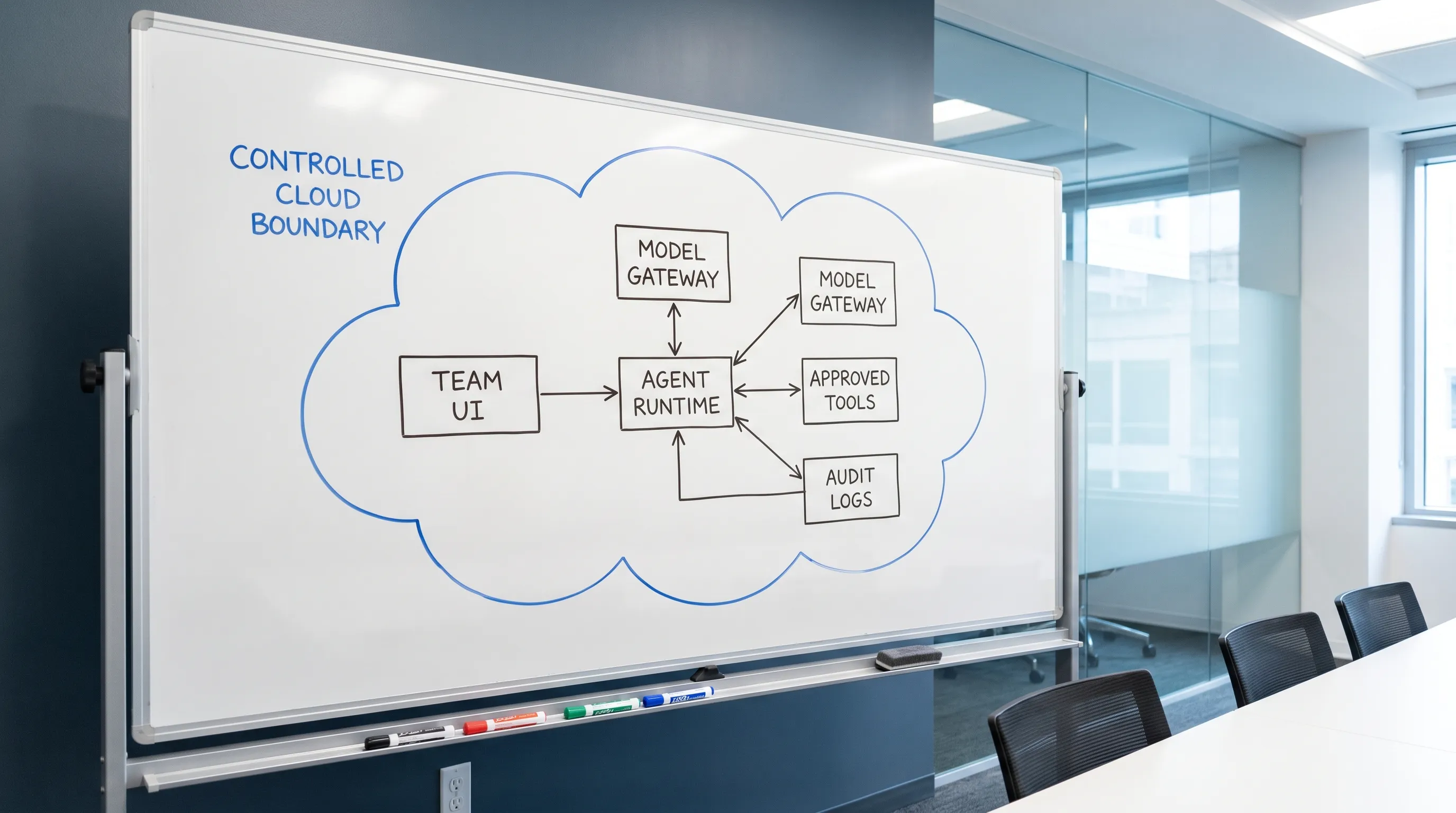
If you run on Kubernetes, network isolation matters. Kubernetes network policies can help restrict which services the agent runtime can reach. If you need standardized traces and logs, OpenTelemetry is a good foundation for observing model calls, tool execution, latency, and failures.
Step by step: run AI in your cloud without losing control
Start with scope, not infrastructure. The safest first use cases are usually read-heavy workflows: repository Q&A, onboarding, incident summaries, documentation search, test failure analysis, and pull request review. Avoid production writes until your permission and approval model is proven.
- Classify your data: Decide which data can go to external model APIs, which must stay inside your cloud, and which should never enter an AI workflow.
- Deploy the agent runtime inside your environment: Put the execution layer near your repositories, internal APIs, and observability systems, instead of scattering local agents across developer laptops.
- Route all model access through an approved gateway: Centralize model selection, provider keys, rate limits, logging, and cost controls.
- Turn workflows into reviewed skills: A skill should be a constrained capability, such as run tests, summarize a pull request, query metrics, or create an issue.
- Attach permissions to users and skills: Do not assume every developer should have access to every tool. Separate read-only, staging, and production capabilities.
- Require approvals for risky actions: Production deploys, destructive database commands, billing changes, customer data exports, and infrastructure mutations should not run silently.
- Keep secrets out of prompts: Use placeholders and runtime injection instead of letting the agent read plaintext API keys. TeamCopilot has written about this in more depth in its guide to the secret proxy pattern.
- Log enough to investigate: Capture user, session, model, tool call, approval, execution result, and error state. Avoid storing sensitive payloads longer than necessary.
- Review usage regularly: Treat agent logs like operational telemetry. Look for unexpected tools, high-cost workflows, repeated failures, and permission drift.
This mirrors how teams already manage production systems. The AI layer should inherit the same discipline.
The controls that matter most
When teams say they want private AI, they often focus only on data residency. That matters, but it is not enough. A self-hosted agent with admin credentials can still damage production faster than a SaaS chatbot with no tools.
| Risk | Example | Control |
|---|---|---|
| Unbounded tool access | Agent can run arbitrary shell commands against production | Tool allowlists, scoped skills, approvals |
| Secret exposure | Agent reads .env files or cloud tokens | Secret broker, redaction, runtime injection |
| Silent data exfiltration | Prompt injection tells agent to send source code to an external API | Egress controls, model gateway, output inspection |
| No audit trail | Nobody knows who triggered a destructive action | Session logs, tool logs, approval records |
| Cost explosion | Team shares one API key with no rate limits | Central usage tracking and quotas |
| Permission drift | Old workflows keep access after team changes | Periodic access reviews |
For governance programs, the NIST AI Risk Management Framework is a useful reference. For engineering teams, the practical translation is simple: make AI actions attributable, bounded, reviewable, and reversible where possible.
Choosing between managed models and private inference
If you need to run AI in your own cloud, model choice is a policy decision as much as a technical one.
Managed model APIs are usually the fastest path to high quality. They reduce infrastructure overhead, but you must evaluate data handling, retention settings, provider terms, and which prompts are allowed to leave your environment.
Private inference gives you stronger control over data flow, especially when paired with private networking and internal storage. The tradeoff is operational complexity: GPU capacity, model serving, latency, evaluation, upgrades, and fallback behavior.
Hybrid is often the most realistic setup. For example, a team might use a high-quality managed model for generic coding help, a private model for sensitive internal documents, and a cheaper model for bulk summarization. The important part is that routing is explicit and enforceable, not decided ad hoc by each user.
Common mistakes to avoid
The fastest way to lose control is to treat a shared AI agent like a shared password. Avoid these patterns:
- One API key copied across every developer machine.
- One powerful service account used for every workflow.
- Agents that can read the entire filesystem by default.
- Production tools exposed before approval flows exist.
- No separation between suggestion and execution.
- No logs because the team wants a cleaner developer experience.
- Model provider choice left to individual prompts instead of policy.
A controlled system may feel slightly slower at first. In practice, it makes AI adoption faster because security, platform, and engineering teams can agree on where the boundaries are.
Where TeamCopilot fits
TeamCopilot is built for teams that want a shared AI agent running on their own infrastructure. Think of the pattern as Claude Code-style workflows, but configured once for the whole team instead of separately on every machine.
TeamCopilot provides a multi-user environment, web UI access, custom skills and tools, skill and tool permissions, approval workflows, real-time analytics, secure data handling, self-hosted deployment, open source availability, and support for any AI model.
That makes it useful when your team wants to centralize AI workflows without giving up control over infrastructure, permissions, or usage visibility. If your team is already exploring coding agents, you may also want to read TeamCopilot's guide on how to use Claude Code with a team.
Frequently Asked Questions
Do I need to host model weights to run AI on my own cloud? Not always. Many teams start by self-hosting the agent runtime, tools, permissions, logs, and model gateway while still calling approved model APIs. Hosting the model itself is useful when data residency, compliance, or network isolation requires it.
What is the biggest risk when running AI agents in a team? The biggest risk is not the model answering incorrectly. It is the agent taking action with too much authority. Tool access, credentials, filesystem access, and production APIs need stronger controls than normal chat prompts.
Should AI agents have direct access to API keys? No. Secrets should be handled by a trusted runtime, vault, or secret broker. The agent can reference a named secret, but it should not see the plaintext value in its prompt, memory, or logs.
How do approvals work in a controlled AI setup? Approvals should be tied to risk. Reading documentation may not need approval. Creating a production deploy, deleting infrastructure, exporting customer data, or changing billing settings should require a human approval step with an audit record.
Is self-hosting enough for compliance? No. Self-hosting helps with control, but compliance also depends on access management, logging, retention, encryption, review processes, vendor policies, and how model inputs and outputs are handled.
If your team wants to run AI on your own cloud without turning every workflow into a custom security project, start with a shared, governed agent layer. TeamCopilot gives engineering teams a self-hosted way to configure AI skills once, control who can use them, require approvals, and monitor usage from one place.
Explore TeamCopilot and build a team AI setup that stays under your control.