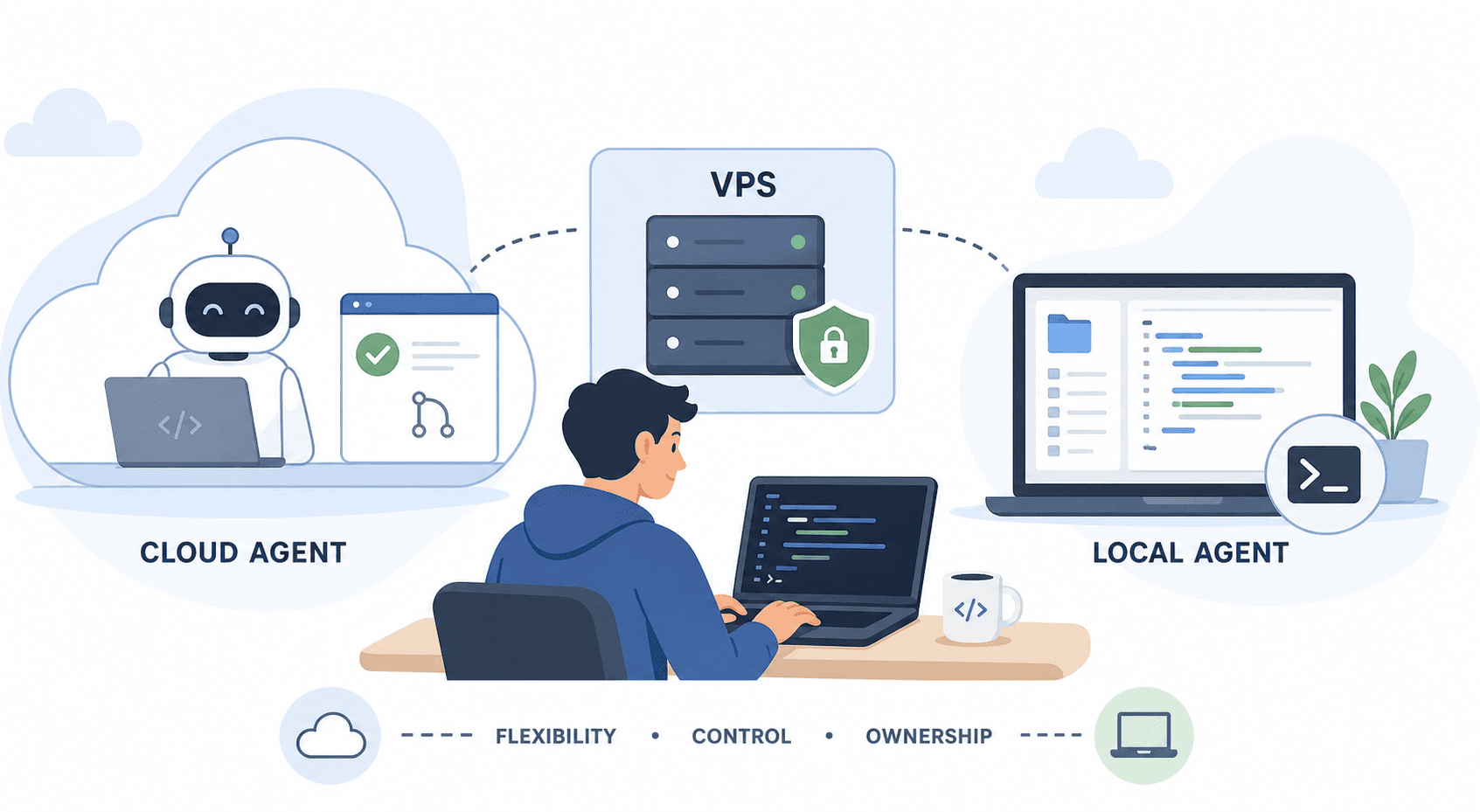
Cloud AI agents and local AI agents are solving the same problem from opposite ends.
Both can write code, run tools, and take actions. The real difference is where they live, what they can see, and how much of the setup you want to own.
That stops sounding abstract the moment an agent starts touching real files, opening a browser, running commands, or moving data between systems. At that point, the deployment model matters just as much as the model.
What counts as cloud vs local
A cloud agent runs in vendor-managed infrastructure. You hand it a task, it works in a remote sandbox, and it usually comes back with a pull request, a report, or a finished workflow.
That is the shape you see with tools like Devin and OpenAI Codex in cloud mode. It is also the shape you get when you run a team agent on your own hosted infrastructure, such as teamcopilot.ai on a VPS or private server.
A local agent runs on your machine or inside an environment you directly control. Claude Code is the clearest example. It works inside your terminal, sees your actual workspace, and can use the tools and files already on your system.
There is also a middle ground: local-style agents running on a cloud box you own. That is where a VPS comes in.
Why cloud agents are attractive
Cloud agents are best when you want to hand off work and come back later.
They usually need less setup. You do not have to prepare your laptop, keep a terminal open, or worry about whether your machine will sleep halfway through a task. They are also easier to isolate. A fresh sandbox is cleaner than a dev machine that has been used for 40 different side projects.
That matters for teams. A cloud agent is easier to share, easier to observe, and easier to review. The output often lands as a branch, a PR, or a completed task that someone else can inspect.
The downside is equally simple. Cloud agents do not naturally know your local environment. They may not see your private tools, custom scripts, hidden config, or the exact state of your laptop. You are also trusting someone else’s infrastructure to run the work.
That tradeoff is why cloud agents are a strong fit for:
- long-running jobs
- parallel work across many tasks
- team workflows with review steps
- code changes that should land as a PR
- tasks where reproducibility matters more than local convenience
If you want a broader view of how governance changes once agents can act, read AI Agent Governance Is the New Enterprise Control Plane.
Why local agents still matter
Local agents are better when the real value is in your environment.
Claude Code is a good example because it sits close to the work. It can read your actual repository, see the files you have open, and work against the same state you are already using. That makes it very good for iterative coding, debugging, and tasks that depend on your local setup.
Local agents often feel faster because the feedback loop is tighter. You can interrupt them, redirect them, or correct them without waiting on a remote job to finish. If your work depends on machine-specific tools, internal scripts, or private credentials that live only on your device or network, local access is often the cleanest path.
The downside is that local agents are harder to scale. They depend on your machine being available. They also depend on your setup being clean enough for the agent to use. And if you want to run several jobs at once, you quickly start managing the same infrastructure problems that cloud agents hide from you.
Local agents are usually the right fit for:
- active coding sessions
- tight back-and-forth debugging
- private environments and bespoke tooling
- individual developers who want direct control
- workflows that depend on local filesystem state
For a team view of how local coding agents fit into shared workflows, see How to Use Claude Code with a Team: Shared Context, Permissions, and MCP.
Cloud vs local vs VPS
If you want the blunt version, cloud is about convenience and local is about control.
| Setup | Best for | Strengths | Weaknesses |
|---|---|---|---|
| Cloud agent | Delegated tasks and team review | Easy to start, clean sandbox, good for async work | Less access to local state, more trust in vendor infra |
| Local agent | Interactive work on your own machine | Direct access to your repo, tools, and config | Harder to scale, depends on your machine staying alive |
| VPS-hosted agent | A middle ground | Persistent, remote, controlled by you | You now own the uptime, security, and maintenance |
A VPS is the interesting case because it gives you a lot of the benefits people want from a cloud agent, without giving up ownership of the environment.
You can run Claude Code on a VPS, keep the session alive with tmux, and treat the box like a dedicated AI workstation. The same is true for other local-first tools if you want a remote machine that behaves like your own always-on dev box.
That setup works well when you want:
- a persistent workspace
- remote access from anywhere
- a fixed environment for repeatable work
- more privacy than a vendor sandbox
- the convenience of cloud hosting without losing control
The tradeoff is that you have to maintain it. Patching, secrets, access controls, and uptime become your problem.
Where teamcopilot.ai fits
teamcopilot.ai sits in the part of the market where a team wants the agent to behave like shared infrastructure, not just a clever assistant on one person’s laptop.
If you need shared workflows, reusable skills, approvals, secret handling, and one place the whole team can work from, the hosting model matters less than the control layer around it. That is why teamcopilot.ai can fit nicely on a VPS or private cloud even when the agent itself is doing cloud-like work.
In other words, the box matters. But the rules around the box matter more.
If the agent is going to touch production systems, the important question is not just where it runs. It is what it can do, who approved it, and what gets logged. For that side of the story, Human-in-the-Loop AI Agents: Approvals, Permissions, and Audit Trails is the natural companion post.
And if secrets are involved, the boundary has to be tight. Start with Why Your AI Agent Should Never See Your API Keys.
Practical guidance
If you are choosing today, here is the plain answer:
- Choose a cloud agent if you want to hand work off and review it later.
- Choose a local agent if you want tight control, fast iteration, and direct access to your current environment.
- Choose a VPS if you want the control of a machine you own with the convenience of remote access.
For most teams, the answer is hybrid. Use local agents for interactive work. Use cloud agents for long-running or parallel tasks. Use a VPS when you want a stable, owned environment in between.
That is where the market is going. Not because one approach won outright, but because different jobs need different levels of control.
FAQ
What is a cloud AI agent?
A cloud AI agent runs in remote infrastructure instead of on your local machine. It usually works in a sandbox and returns something you can review later.
What is a local AI agent?
A local AI agent runs on your machine or another environment you directly control. It can work with your files, tools, and repo state more directly.
Is Claude Code a local agent?
Yes. Claude Code is best thought of as a local-first agent. It runs close to your workspace and is strongest when it can see your actual development environment.
Is Devin a cloud agent?
Yes. Devin is the clearest example of a cloud-first autonomous agent. It is built to work in a remote sandbox and hand back finished work.
Is OpenAI Codex cloud or local?
It can be used in both patterns, but the cloud-agent workflow is the more obvious one. That is usually what people mean when they talk about Codex as a delegated coding agent.
Can you run a local agent on a VPS?
Yes. That is one of the best middle-ground setups. You get a persistent remote machine that behaves like your own controlled environment.
Is a VPS the same thing as a cloud agent?
Not exactly. A VPS is infrastructure you own or rent. A cloud agent is usually a product running on vendor infrastructure. A VPS can host a local-style agent, which gives you more control than a typical vendor sandbox.
Are cloud agents better for teams?
Often, yes. Cloud agents are easier to share, observe, and review. They are especially good when work should end in a PR or another reviewable artifact.
Are local agents safer?
They can be, because they stay closer to your own environment and tooling. But safety depends on permissions, secrets, approvals, and review, not just where the agent runs.
What is the biggest downside of cloud agents?
They do not naturally see your local setup, and you are trusting vendor infrastructure with your work.
What is the biggest downside of local agents?
They are tied to your machine or your own infrastructure, so setup and uptime become your responsibility.
When should I choose a VPS instead?
Choose a VPS when you want a persistent environment, direct control, and remote access without giving up ownership of the machine.
Where does teamcopilot.ai fit in this picture?
teamcopilot.ai is a strong fit when you want a shared agent experience for a team, with permissions, approvals, reusable workflows, and the option to run it on infrastructure you control.
What should I read next?
Start with AI Agent Governance Is the New Enterprise Control Plane, then read How to Use Claude Code with a Team: Shared Context, Permissions, and MCP. Those two posts cover the control layer and the team workflow side of the same problem.
Support the project
If this was useful, star TeamCopilot on GitHub.
TeamCopilot is a shared AI agent for teams with centralized context, permissions, and workflows.